New Logitech TrackBall

I moved to a trackball instead of a mouse about 22 years ago when I got a twinge of RSI in my shoulder and the best one on the market at the time was the Logitech ps2 Marble TrackMan, Since then I have upgraded with each new model resulting in the current M570, a week ago on an off chance and needing a blue tooth trackball I checked the Logitech site, squeaking with surprise I saw the new MX Ergo trackball was just out

A few days later it arrives in my sweaty hands and I discover that someone at Logitech seems to be a mind reader and has added just about everything I wanted. So this review is going to be a bit unbalanced but I will try to point out the good and the bad.,

Good

  • Lots more grip: the M570 had 4 little rubber feet that had a habit of coming off and disappearing into the ether, meaning the mouse would rock slightly until you replaced them, the MX Ergo has a solid rubber foot that nearly glues you to any surface with NO sliding.
  • Multi-connection: the MX ergo uses both Bluetooth and the Logitech Unified Receiver as well as supporting 2 devices swappable with a button click, this means I can swap between my laptop and tablet very easily and with no messing around to re-pair, it is JUST what I wanted and works flawlessly.
  • Easy precision switch: there is another little button that swaps between fast and high precision mode, another feature I have wanted and expect to come in useful.

Bad

  • The Little devil is more than twice as heavy as the M570, which is both good and bad, good in that it feels far more solid to use, bad as in I carry the sod around all the time.
  • Fragile: Now I don’t really think it actually Is any more fragile, but as it feels more complicated I think it could get grubby pretty quick and the base plate would fall off in my bag
  • Expensive: An extra £30 over the M570 plus £20 for the case I feel it needed, makes this a pricy old mouse.


Size and Feel is nearly identical to the M570 (which just shows they got it right the first time) with the addition of the 2 position rocker (Hand flat and hand at 20°)


The underneath of the MX Ergo vs. one of my well-worn M570’s you can see the solid foot and absence of a battery hatch, The MX Ergo just recharges via USB meaning I no longer have to carry around any spare batteries.


The detachable foot, which attaches to the MX Ergo with 2 magnets, I can’t say I’m in love with the solution and would like the option to leave it off, but there is no denying that it sticks on well and gives both weight and stability.


Given the cost, less rugged nature and “waiting to fall off” base, the investment of a case seemed a prudent idea. I went with a Hard Travel Case by co2CREA

Conclusion

I love this mouse. I REALLY love this mouse. Yes, it costs more than its predecessor; yes, you can’t just bung it in your laptop bag anymore, but to use, and in particular to use on different platforms, it is just a pleasure, comfortable, responsive, and smooth…… Happy Sigh
Unlimited Test Email Addresses

A silly tip that has saved me tons of hours and make clients happy is having an Email domain that has “catch-all” routing on it.

Basically this is having a domain that any address that you use with it automatically routes to a central email address, mine is the “energywins.co.uk” domain, anything you send to that domain ends up at my main address, be it “clientTest1@energywins.co.uk” or “fakeUser200@energywins.co.uk”, this did not used to be that useful when all apps were internal, but in the world of cloud apps and PARTICULARLY with the Salesforce/Pardot world that only allows an email to be registered once it is invaluable and helps you to keep clients separated (they also love to have you use emails address that are specific to them ie “MicrosoftTEST@energywins.co.uk”

This can be done easily with just about any email provider, but I use Gmail for domains as it is easy, fast and cheap1.

Strangely the Gmail for Domain instructions keep changing, are oddly poor for Google and the setting is buried REALLY deep which I assume means they don’t really want you to do it. so if things change, just search for “Gmail Catch All” in the meantime:

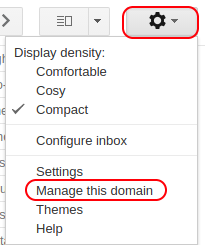
  • From your inbox, Click on the little cog on the right-hand side and select “Manage this Domain”

  • Then select “Apps”

  • Then select “G Suite”

  • Then select “Gmail”

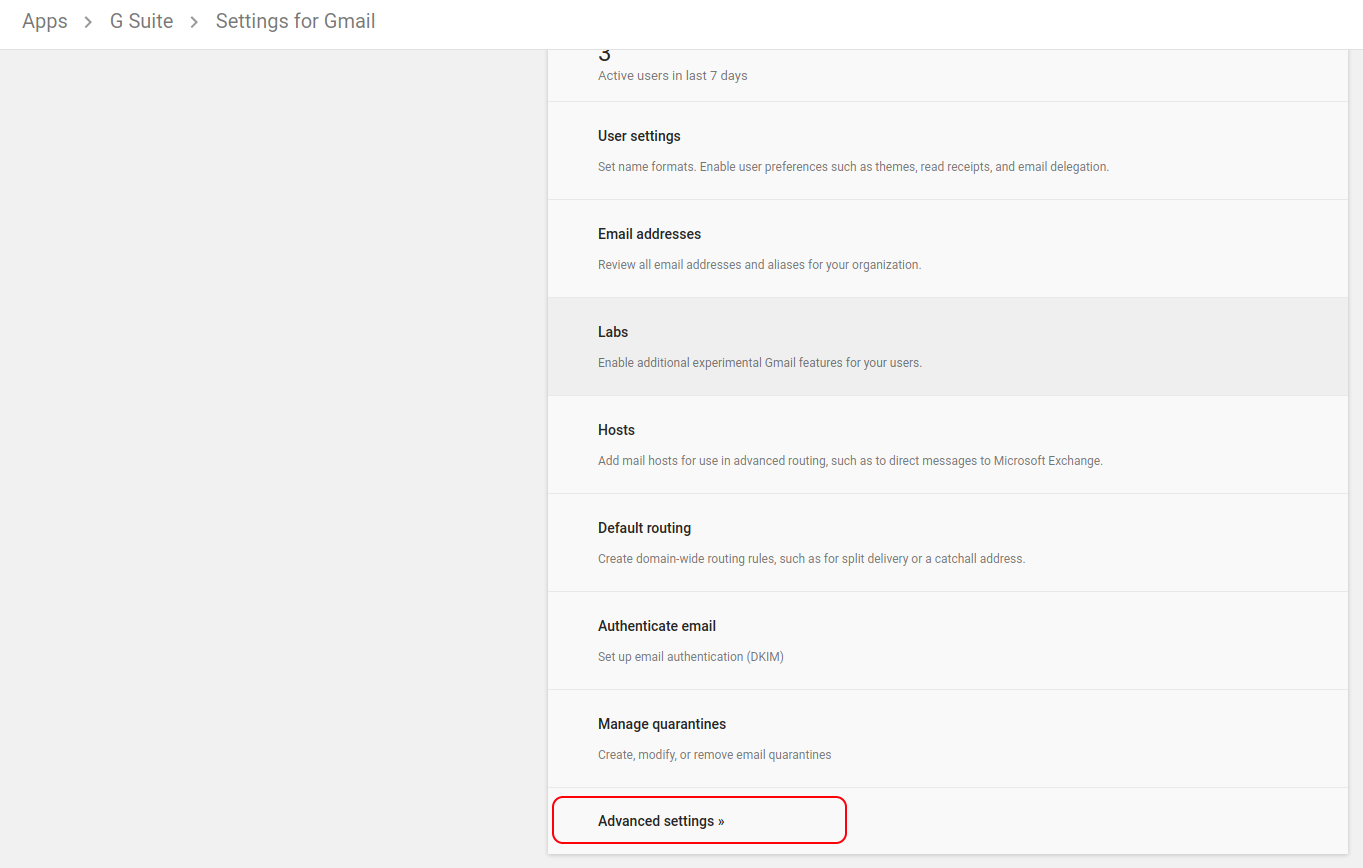
  • Then scroll down to the bottom and select “Advanced Settings”

  • Then scroll nearly down to the bottom and under “Routing” you will see the setting for “Email routing”, change the radio button for “Unknown mailbox account messages” to “Route to catch-all address”, and put in your main email address for this domain.

That’s it, for most people this is not a suitable setting because it just slightly increases your spam content, but for me and anyone who needs a constant stream of individual email address and to not lose track of old ones used one 6 months ago, it’s invaluable.

  1. Some of my colleges use temp email domains such as http://www.throwawaymail.com but I have found that such things have a habit of being needed again in 6 months when the client comes back for more work.[]

A Change Of Headphones

Anyone who knows me will find the idea of me not wearing headphones at all times a strange one. For the last 6+ years, I’ve been a faithful purchaser of the Sennheiser PXC series, gently working my way through the range from the 360 to the 550. However, when it came time to buy a spare battery (after repeatedly losing the devils), I discovered that the familiar style I’d grown accustomed to had changed.
This wasn’t initially a problem, designs evolve, after all, so I thought I’d simply buy the new version. But I quickly realized the updated design featured angled ear cups, and that’s a deal-breaker for me. Angled cups mean I can’t wear them the wrong way around, which I prefer when positioning the cable or buttons on a certain side or addressing Bluetooth signal issues caused by my head. Moreover, angled cups prevent me from comfortably tucking one cup behind my ear, a necessity when I’m onsite with a client. Nothing leads to a headphone ban quicker than managers being unable to call you whenever they want.

Requirements:

  • Over-ear design.
  • Bluetooth and wired connectivity.
  • Standard ports: I absolutely despise proprietary ports designed to squeeze more money from me for replacement accessories.
  • Vertical alignment: Headphones must be vertically aligned, not tilted.
  • No noise limiters: I’m not a child, and I prefer my music loud.

The Choice:

I initially considered the new Sennheiser PXC, but they failed due to the aforementioned tilt issue. Sennheiser’s other suitable models tipped too far into hipster territory for my taste. Bose headphones were too expensive and didn’t feel sturdy enough to withstand my lifestyle. Plantronics models were simply too large and tended to fall off my head. Enter an unexpected outsider in headphones but a venerable name in music: Marshall and their Monitor Bluetooth headphones.


The Good:

  • Strong Bluetooth: The Bluetooth connection is significantly stronger than Sennheiser’s. I can leave my phone on my desk and comfortably move around my flat without any signal issues—a massive improvement.
  • Snug fit: These headphones fit tightly and snugly, which may be too tight for some (like my wife), but it’s a definite plus for me.
  • Sound Quality: The audio is richer, fuller, and significantly louder than the Sennheisers, a major upgrade.
  • Dual Input: While working, I often use the Pomodoro timer from my phone via Bluetooth but remain wired in for calls and other audio needs simultaneously. The Marshall headphones handle both connections effortlessly, a pleasant surprise.

The Bad:

  • No lateral movement: Given their classic design, I didn’t expect lateral movement, and the lack of additional joints certainly enhances structural integrity. However, without lateral flexibility, I feel extra pressure when tucking one ear cup behind my ear.
  • Control knob: This is an annoying gimmick—it’s actually a mini joystick rather than a knob, making it fiddly and unintuitive. Changing volume should involve turning a knob, not nudging a joystick.

The Unexpected:

  • Replaceable headphone pads: My beard and stubble tend to shred headphone pads, leading to frequent replacements. The Sennheiser pads were always a pain to change, whereas Marshall’s magnetic pads are refreshingly easy to swap out.
  • Retro feel: These headphones gave me a nostalgic flashback to my dad’s old Pioneer SE-205 headphones, a set I adored years ago, a delightful retro touch.

The Conclusion:

It’s still early days, and the Marshall headphones aren’t quite as gentle on my ears as the Sennheisers. However, the substantial upgrades in nearly every other aspect make them a clear winner. Recommended.

Salesforce and Third Party Calls

This is just a post to help other Salesforce devs who have to face the same repeat question time and time again and the same disbelief in the answer, So they can prove to the client that they are telling the truth.

Dear Sir/Madam
If you are reading this then someone has sent you to this post because you have asked about linking to a third parties data “on the fly” or “in Real time” or “before it opens” on Salesforce and wanting for such data to arrive before showing the page to your users…

the simple answer is this

Salesforce will never make the speed of their website dependent on anyone else!!!

It will never wait for anyone else before opening a page
It will never wait for anyone else before saving a page
It will never wait for anyone else to do ANYTHING

Yes, you can call just about anything with Salesforce, but it will do this asynchronously, so it will make the call to the Third Party, then get on with its own stuff without waiting for an answer.

You just have to write your Salesforce code/page/whatever to deal with the result when it comes back from the Third Party, it’s well documented, there are lots of ways to deal with it: Batch runs, Ajax etc and plenty of neat solutions.. but none of them is “can’t it just wait”

Fin.

Omnicharge

The Omnicharge is the second “mains supply” battery backup that I have backed on kickstarter what seems years ago, and the second one to turn on in the last month

Heralded as far more advanced and adaptable compared to its competitors such as the ChargeTech Plug but it has a far lower output wattage (100Watt), so will it still be any use to me with my monster laptops?

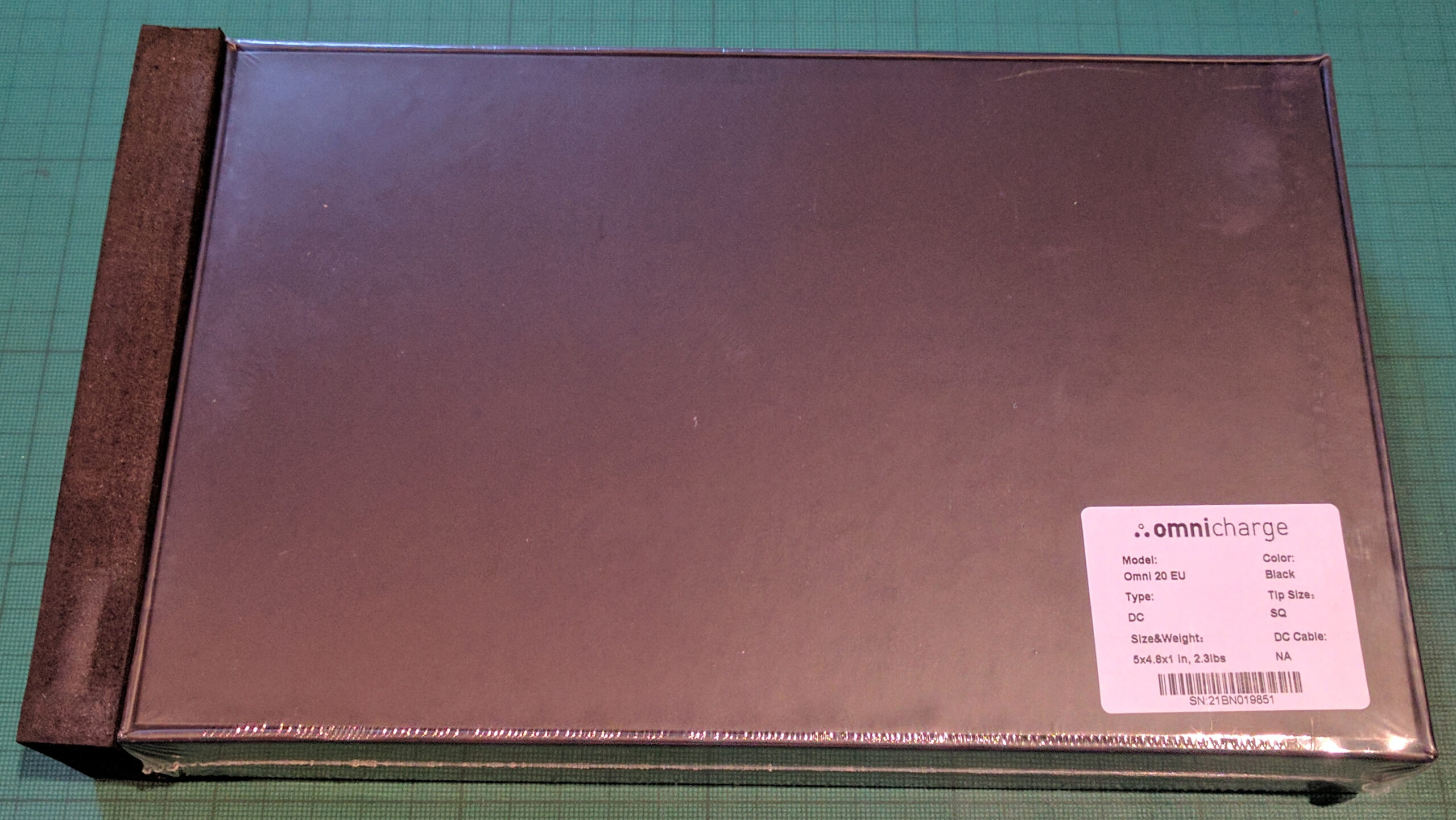
⇑ The Omnicharge comes in a very nice compact box, minimal packing that survived the air trip perfectly.

The Omnicharge accessories match the amazing build quality of the main unit, with the adaptor tip being of especially high quality for some reason (not that im complaining)


One thing that bit me slightly is that if you are outside of the US you can’t order the accessories afterward so if you were dumb like me and did not order the DC cable or looked at the dirt magnet that is the case with its raised power button and realised a case is a mandatory requirement then poot to you.

When the Omnicharge arrived, I did not have a 90Watt power supply at hand, so I plugged my 130Watt in to see how it handled the extra load expecting a polite cut off message, but NOOOO, everything just worked, I glared at the info screen to see what was going on to discover that the giant power adaptor was ACTUALLY only drawing about 39Watts, let’s hear it for modern adaptive power supplies, this means I can use my P50 with the Omnicharge and my normal charger, sweet!!!, after a bit of experimentation, I found could make the Omnicharge peek at about 81 Watts (4 VM’s running, with me working in 1 of them) this is perfectly usable, I suppose I could have popped the limit if I have done something like video encoding, but that is not the goal.

⇓ The part of the Omincharge that sets it apart is that it will accept a very very wide range on its input charge, from USB solar panels up to monster power supplies (4.5V to 36V), if this circuit and it matching detailed control screen was built into actual laptops it would be a HUGE game changer but I will take it in any form at the moment.


⇓ The Omnicharge is only 20.4K mAh, about the size of my laptop battery, meaning it would only add about 2 hours to my battery life, then I had a realisation that I could charge the Omnicharge with the big Anka USB battery I normally carry at the same time it is providing power to the laptop, which should mean it should charge my laptop about 40% longer than it should on its own (on average my laptop takes about 40 Watts).


⇓ As you can see it works, but as you can also see the temp is rather on the high side, indeed its only 3 degrees short of the cut off temp with its little fan going for all its worth

conclusion The Omnicharge is truly a very smart bit of kit, by far the cleverest battery I have ever owned, again if a laptop provider incorporated this tech into their laptops it would be a massive game changer, but for the time being it is an essential bit of kit… just don’t forget to buy your accessories…