Working from anywhere

I was taught by Mr Ben Poole that a good contractor should leave his desk empty and clean at the end of each day, and watched how Gab Davis seems to be able to work from anywhere at a moments notice so I have been trying for some time to manage both things.

As normal I have not quite got the hang of the simple part, and given the small nature of my studio flat where I do most of my from home working I have tried to pack my whole office into one bag but it does have a few advantages

  • I don’t mind working anywhere as I have no ‘homebase’ as such.
  • I can always give my all at a clients site as I will never be lacking anything
  • I don’t mind doing less than a day at a clients as I can just get on with other stuff

This all works well for me as I enjoy people’s company and do my best work in a busy environment. so I though I might share what I carry in addition to a the real basics: a Laptop (Thinkpad W510), Phone (Nexus 5) and headphones (Sennheiser 550-X)


Core Stuff

  • The silent and powerful USB fan from Thermaltake, saved me from misery in many an over hot office.
  • In my opinion the best mouse in the world the Logitech M570
  • Baby TPLink 150Mbps Wireless N Nano Router , USB powered and perfect for sites where they may not have a desk setup for you, you can just plug this in and you are up and running.
  • Bloody huge Thinkpad charger, weighs a sodding ton, but can be used as a ball and chain in those tricky meetings.
  • At last a proper retractable and collapsible UK power cable this one by ReTrak
  • Western digital Elements Portable HDD inside its Caselogic case a more reliable and essential paring I have yet to see
  • Anker portable USB 15000mAh battery + the lovely smaller version provided by Panagenda
  • Decent 2Amp USB charger any brand is fine, but this one is from Lenovo
  • Torch: present from Matt White (for some late night working) + spare batteries (including ones for my headphones)


Abroad and in the dark

  • Eagle Creek bag to store everything from all the pictures in (they also supply the small bag in the next image)
  • The awesome GoalZero Luna LED light
  • Skross World Adaptor Pro+ which is by far and away the best socket adaptor I have found, both in terms of amperage it can take and the fact it is earthed.
  • Lenovo Travel charger + its thousands of cables and adaptors
  • Various adaptors: Euro to US, kettle lead to figure of eight and vs versa


Little Bag

  • 5 USB cables of various lengths
  • 2 USB OTG adaptors so that I can plug things like keyboards and usb sticks into my phone/tablet
  • Mini USB hub
  • SIM adaptor and tool (in case of phone dieing at a critial time)
  • USB Sticks
  • Audio adaptor cables for my Sennheiser 550-X bluetooth headphones
  • Lindy retractable Ethernet cable, this may look big but its nice and long and most importantly it protects the little clips from being broken which happened to its 2 predecessors
  • Spare mouse by Swiftpoint
  • Spare headphones


One thing that people tease me about with my setup but frankly I simply could not do without is my Magma laptop Riser, this combined with a USB version of the ThinkPad Keyboard and a couple of mouse pads as arm rests mean I get to have the top third of my laptop’s screen at my sitting eye level which is how its supposed to be.

What do I carry all of this in?

After the destruction of many brands of rucksack including the Wenger backpacks that everybody else swears by, I have finally settled on the Lowepro pro runner 450aw which while rather large means I can carry everything I want and JUUUSSST get it on a plane as carry on (its right on the limit), if I’m travelling on a budget airline I use a Lowepro Fastpack 350 which always fits.


And here is how it looks when I’m all setup ( in this case at a Regus Office near a client at Bank station London )


Of course in addition to this I carry pens, pad, spork, small flask, umbrella and the usual ‘man bag’ stuff, but that was all boring

CSC Event No.1

Another late event review, but what can you do 🙂

So the first CSC event is done and I feel it was a great success particularly for a first event in a new format.

A lot of this due to the organisers effort, the same as with all good conferences, in this case Gabriella Davis, Mike Smith and Matt White (the rest of us can best be called helpers)

I really really enjoyed the day, it was the right mix of tech and none tech, and even with only 2 paths there were times when I wanted to be in both rooms at the same time, I learnt far more than I expected particularly in the life sessions (the “The challenge of home working” workshop was fascinating), it also gave me a wonderful heads up on various technical subjects that I am bit behind on (or even missed totally in the general overload of the Internet), both of these areas were key as with a lot of other conferences its all about the corporation rather than the worker and technical subjects are limited by vendor or product, where as here they are only limited by how useful and interesting they are.

You could see people getting into the far more interactive/discussion format of the event after the first couple of sessions, and this will grow as nearly everybody has something they can teach the rest of the attendees.

The finances of the event were a bit different to normal conferences, but once you understand the underlying reason for the conference they make sense, The Turtles and LDC footed the whole bill :/ with no sponsors or other help, but we were not allowed to do any sales pitches (Matt White even made sure my slide deck template was as low key as possible) and this is because the conference and its future siblings are genuinely not a sales pitch, it is plan that Gab has come up with to try and rejuvenate and expand the IBM Social Community, there were and still are a lot of good people in it but due to a variety of reasons it is getting smaller as people move to other technologies (such is life), personally I think that this is because the existing “yellow bubble” is very inward facing and while what used to be called ‘Groupware’ is now called ‘Social’ used to be limited to only a couple of vendors every bugger is now at it and so the community needs to flow with that.

So to sum up, I felt we achieved a good break through and now need to get the balance of future events right (not too many not to few and of what sort as well as getting the right useful subjects in place) so we can build on the Idea, we have proved to those people who did not come thinking it was a sales pitch that it was not judging by the feedback we have got this is exactly what people want.

viva la Community

Stupidly I did not take any photos, which is extra dumb considering how nice the venue was but here is my short 10 min slide deck (though slide share seems have done something odd with my fonts)

Engage 2014

Sorry I’m a bit slow with this review 🙂

So Blug has got an new name, a new venue and lots of new content, but praise be to all it still has Theo Heselmans at the helm and this year was was another brilliant outing

So what made it so good?

  • An excellent turn out by IBM, yes they were a strategic partner which means that they should turn out for it but for a while now the community has really felt that IBM have not given a flying toss about them, however their behaviour during these 2 days really dispelled that feeling, major credit goes to the fact that proper high level people came and more to the point they left the lawyers at home, extra special credit goes to Suzanne Livingston who really injected life into IBM’s offerings.
  • It did not feel cheap, there was no wastage or pointless things paid for, but it felt professional and confident in what it was delivering.
  • Wide range of quality new content (I learnt a shed load)
  • Theo has the knack of getting people into the vendor hall all the time without forcing you so the vendors are more relaxed.

All in all and hour for hour it was better than the main IBM Connect conference and anyone who just went to it rather than Connect has not missed out on anything, it is without doubt the premium IBM social conference of the year for Europe.

Highlights:

The Venue was full but never ‘packed’, however it was standing room only at the OGS


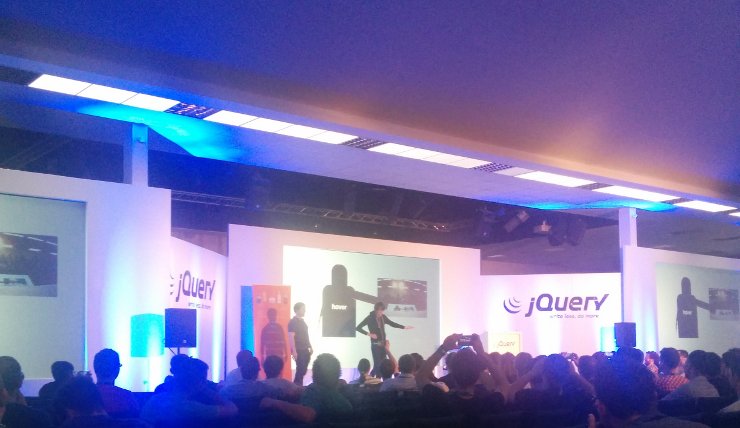
Matt white and I did a compact version of our learning connections dev leaving quite a few stunned faces in the audience, but we also got much more audience activity and questions than we got from the audience at IBM Connect which was very gratifying.


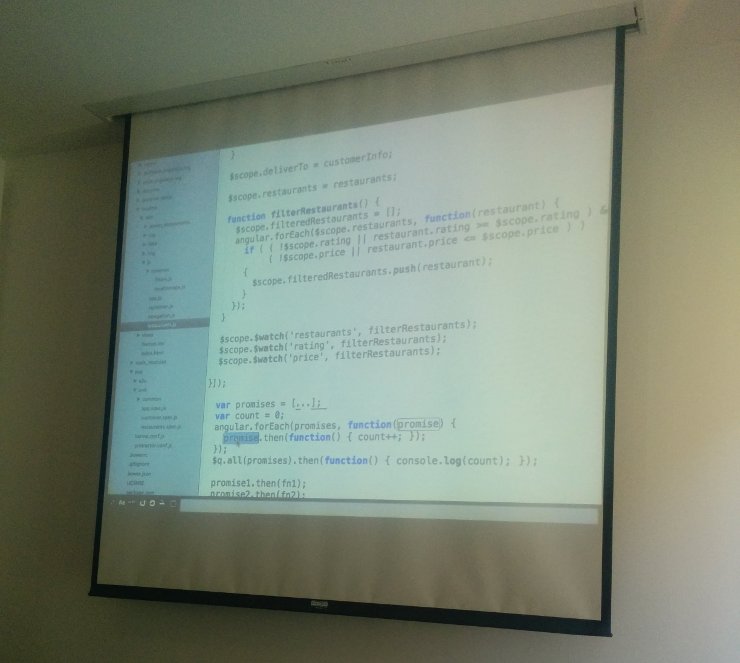
Our room was nice and airy but a tad bright for the projector meaning quite a lot of our code snippets were lost on the watchers. ah well


As normal the conference Bag for Engage/Blug had local guides in it, a very nice touch and something other conferences should do (although this is apparently normal for academic conferences and only the commercial ones are just packed with nothing but adverts)


Talking of which here are a dozen of the reprobates venturing out in search of food and Beer


Finally as per normal LDC tried to take a serious team photo to mark the event, and per normal it did not go so well, I name this one “Everybody pointed to the favourite part of the wall” after the Rupert Fawcett Cartoon and thanks to Tim Clark for taking it.


Collaboration Stack Community Agenda and Stuff

So the first Collaboration Stack Community Event Agenda is out, my slot in it has be nailed down, it is already half full and I’m getting over excited again!

Why you ask is Stickfight getting over excited about something that is not caffeine or alcohol.

Because this is the first “more than IBM” conference that I have been to that I have been anything more than just an attendee also I’m going to LEARN stuff as it does not use the normal “Sit there an listen to people talk” format.

This new format gives everyone a far better chance of telling people about the cool stuff they know about, with the best fringe benifit that as its in central London there will be tons of opportunities to have a quiet chat with people about stuff we can do together over a pint or two 🙂

If you want to hear me Rant, I will be getting my 10 mins in the fine company of Mark Barton and Steven Chapman at 2.15 – 2.45 speaking on Web Development Technologies.

Ah yes, you need to register as well at Event Brite

Connections aide memoire 01: Changing XML config

Now that we are all “connections developers” according to IBM, sooner or later you will need to starting dealing with Web sphere in a serious fashion, this is no simple task, as Web Sphere admin as far more complex that developing for Web sphere and the documentation makes massive assumptions, so I will be doing a series of simple and essential tips for developers so make your life a bit easier, starting off will be changing XML config on connections.

Most of the connections config resides in a file called “LotusConnections-config.xml”, now there are copies of this file all over the place, to change them you check them all out, make the change in one place then check them back in, this not only keeps the changes consistent over your connections installation but it validates your changes and keeps a backup.

To do this first go to the bin directory of your deployment manager, in my test server’s case that is (yours will most likely be very similar except for it being on “E”)

E:IBMWebSphereAppServerprofilesDmgr01bin>

Then enter the wasadmin console with

wsadmin -lang jython

Next run the Connections Config jpython file

execfile("connectionsConfig.py")

Once that is done (after a load of output to the screen) you need to check out the config files, you need to provide a location to check the files out to (just create a directory somewhere safe) and the name of the web sphere cell you want to get the files from (see below on how to get that)

LCConfigService.checkOutConfig("E:working","WIN-L5H5FQ2LKP1Cell01")

If you don’t know the name of the cell you are working on (hell I never know) you can find out by typing the following.

AdminControl.getCell()

You can now alter the files in the directory to suit what ever changes you want to make, the best way though is to use the “updateConfig” command which makes sure that you don’t make any bad types and screw your config up.

LCConfigService.updateConfig("profiles.directory.service.extension.enabled","false")

Once you are happy with your changes, you can check them them back in with the following (you will most likely need to restart the connections apps for the changes to take effect

LCConfigService.checkInConfig()

_NOTE: I’m not a proper Web Sphere admin, If you want proper Web Sphere and Connections admin you want [the Turtle Partnership](http://www.turtleweb.com/)_