Review of Timeular

Timeular is one of the increasingly common productivity apps that help you with time management, and as I have been using it solidly since 2018, I figured I could give a full review.

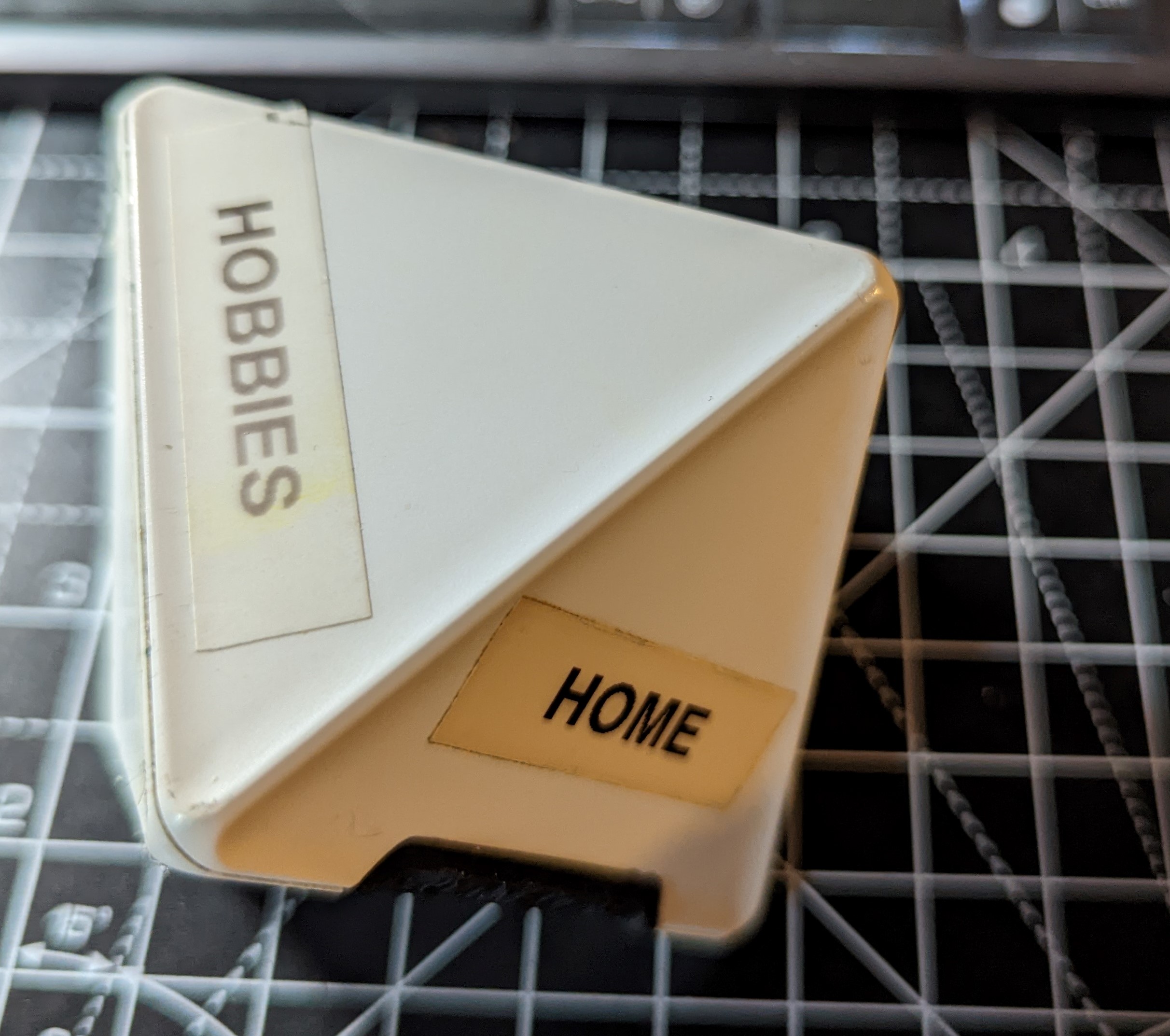
At its core it consists of an eight sided dice, that you write your job or tasks on, then when you’re working, you flip it to that side, do your work and when done, you flip it to a different side and it logs the time you spent on each task.

I live on the damn thing.
It was a instant good fit for the way I do my work, particularly when I first started using it, I was a contractor with multiple clients, and while I was working for one client, I might take a phone call from another, and then finish that call and revert back to the previous client i was working on, this could happen with multiple “Time and material ” clients during a day.

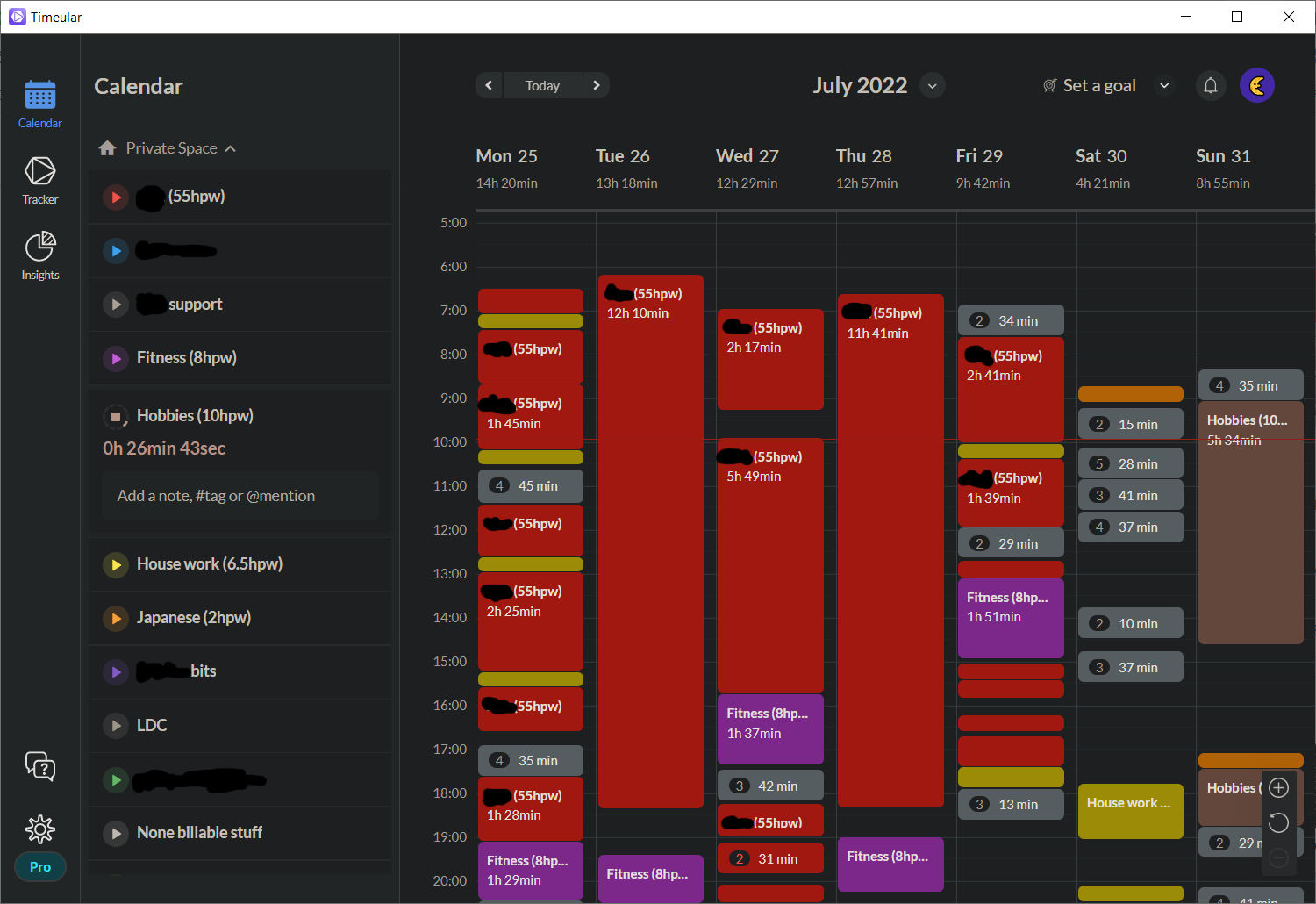
At the end of the day, you can cut up what you did for your different tasks and fill in appropriate timesheets. Excellent for when you are working from home or remote and you’re not following a static 9 to 5.

Personally I find this an easy method of timekeeping and helps manage distractions. You may have taken a couple of meetings, then you can do the dishes. After that, you might have to take the dog for a walk. You can separate between housework and work 1, but at 5pm you can at a glance tell timewise if you have done a solid days work and if not you can correct and work later to make up 2.

Overall It takes a lot of the effort out of timekeeping in general and while originally obviously designed for freelancers, it is very adaptable to the new world of hybrid working for permies. In the app its self you’re supposed to fill in all the task details with little notes, and yes I have done it this way for a couple of clients who also used Timeular  so they could see what I was doing, I normally don’t use it that way. I use it to give me nice blocks of time so I can work out how to fill in my notebooks at the end of the day, also to cross check and make sure that said notebooks are correct.
So far all has been perfect as described but it does have its downsides.. Well,.. that’s not entirely fair, it USED to have its downsides. When it first started years ago, its Bluetooth connection was appalling. The dice used expensive coin batteries like no ones business, it was non rechargeable. The app crashed. The connections didn’t drop well. A lot of failings.

But that’s where I feel it has stood the test of time. They have constantly improved, and over the years everything has been ironed out. The Bluetooth now is absolutely perfect. Not a single missed item. Its integration and stability is exceptionally good. They’ve changed the dice. It’s now rechargeable, and lasts for months on a single charge.

All this means that it’s now something that I would heartily recommend in all ways 3 .

Now, some people might think that you could just use a simple app timer with a start and stop. But that’s not how the human brain works, particularly when it’s busy. I find the big difference between Timeular and just about all the others is the physical act of turning the dice. It even allows you to have guilt free breaks from working. If you’re having a brain fart or someone sends you a particularly good video that you want to watch. You can just flip it on to blank and take your break guilt free, as you are not taking up a clients time.

Do I have any improvements to it? Yes, I would like a simple on off switch for the dice. I would like to be able to just drop it in a rucksack as I go, rather than having a bunfight with it to turn it off and then on again and re-pair, also personally I don’t used the pen and fancy stickers they supply, I just use a label printer as its much clearer. but that’s it.

Particularly in conjunction with other time management items. It really is something that I would not give up easily.
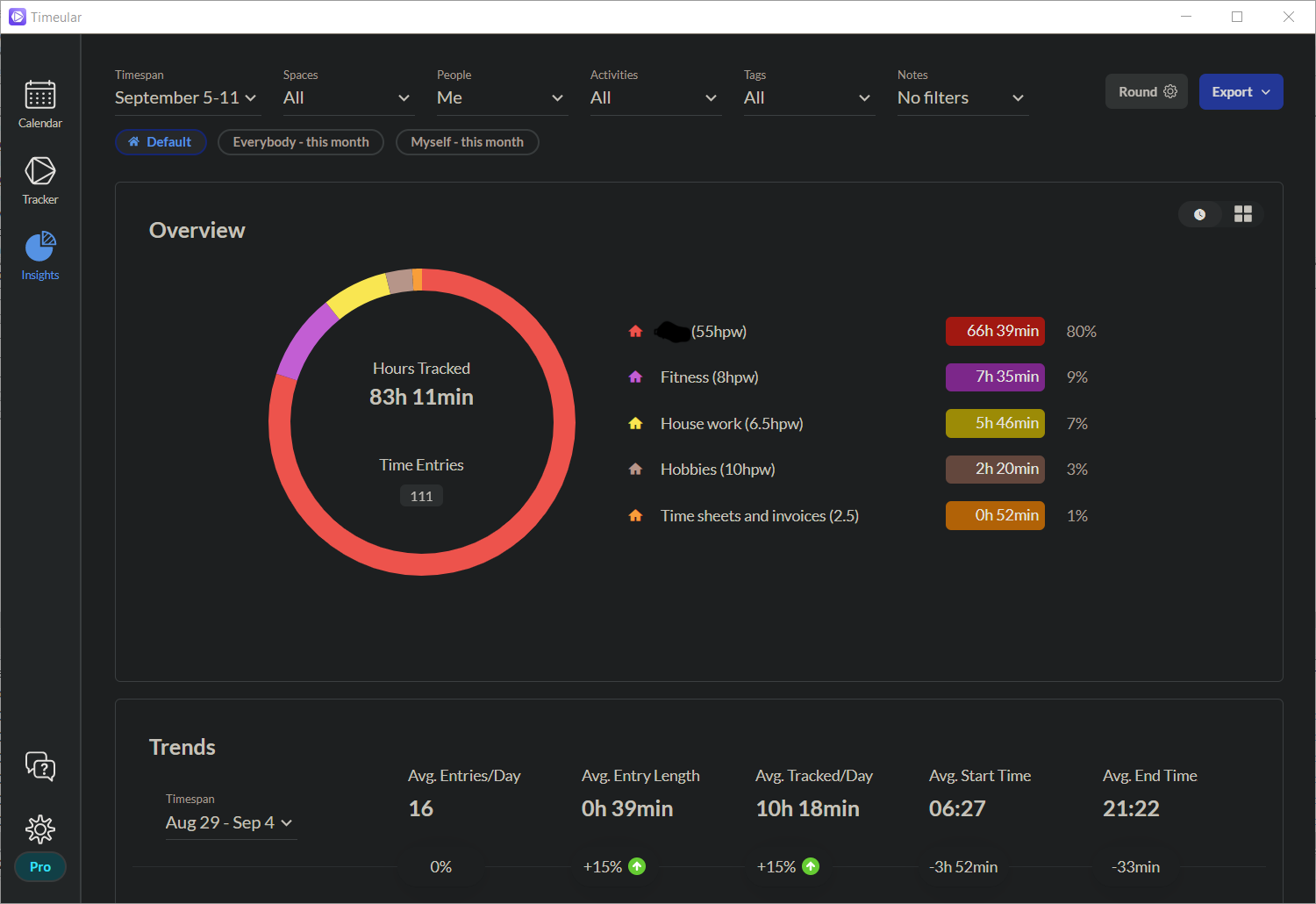
  1. this surprisingly makes sure that I pull my own weight with the household jobs as I know how much I have actually done in the home[]
  2. with a fringe benefit of helping to address procrastination[]
  3. Although you sometimes crack a grin at the fact its obviously still quite a small team, as they do the odd strange feature that they don’t quite get right.. the weekly goal setting for example does not work to my liking[]

Corporate joke #1

Corporate joke #1: If the moon landing was run by Project Managers

 
PM: Are we on course to land the team on the moon by the committed date? NASA Engineer: Well we are having some issues both with the engines and the life support, we will have to put the launch day back till they work reliably. PM: What!, well we have to show progress, can’t we just send one person?

badum tish…

Stress Tip No. 4 : The right KIND of brain activity to relax

Stress reduction for a lot of people is taking their mind off work, taking their mind off whatever is causing the stress.

But this is where you bang into humans being human, you must find your own WAY of taking your mind off what is causing the stress, and this varies hugely from person to person, even this statement is not a helpful one for someone in the grip of stress as they are not wanting to think any more. so lets go through some options, to make your solution easier to find.

Not thinking at all: This solution is often seen in the form of a very strenuous physical activity, perhaps very heavy gym work, or the complete opposite i.e. just sleeping the whole weekend. people that find this working for them just turn their mind to pure heal mode. I find this solution works best if you don’t have uncertainty in your stress at work but are just being overloaded.

Full distraction: For the people that can’t turn off, for the people whose voices are screaming in their heads constantly. This is often a way of dealing with high levels of stress. They take on huge additional mental workloads. But in completely none related areas. It’s often more involved even than work, but its not stressful as the work is clear or failure does not have a large impact. You see it in people with very complex and involved hobbies or in helping others such as county council work or charity work. such work FORCES you to not think about your stress points, and thus you can go back to them the next week feeling “Rested”.

Alternative thinking: This is my personal bag, which involves doing something that takes your mind off your issues and makes your brain work in a slightly different way, but something that still requires me to concentrate and apply myself so that my mind does not drift back to the stress point. most hobbies provide this which is why they are so useful.

Complimentary mental activity: This one is the cleverest solution I’ve seen, if you can manage it, it is nearly like preparation for work, or for the stress that you’re facing in work. You go and do something that will aid you in your job and that requires concentration, but is not ACTUALLY your work, examples include training for professional qualifications, or presenting at conferences in your field. It improves your abilities in you’re stress point areas. and also you feel as if you are not just waiting around for the next challenge, you are more in control of your life which in its self reduces stress, 

“Acid Sam” Run No. 2

What I now call an “Acid Sam” 1 is 100 Kettle bell Snatches followed immediately by a standard “Acid Bath” fitness test.

The details and timings are:

100 Kettle Bell snatches

Details: I use a session kettlebell of 24kg which is a basic standard for someone of my size 2

Time: between 5 – 10 mins, with 5 mins as the proper goal. 3

Acid bath

Details: The “Acid bath” is a standard fitness set which consists of the following:

For standards these all have to be done on the concept2 range of equipment.

Time: Men are supposed to do this under 6 minutes and Ladies under 7.

Progress and attempt times

The first try I did on this was 14:59, only a minute away from the longest allowed time of 16:00.

so I sat down and did the splits properly this time, working for:

  1. 20 kettlebell snatches (1:30)
  2. 20 kettlebell snatches (1:30)
  3. 20 kettlebell snatches (1:30)
  4. 20 kettlebell snatches (1:30)
  5. 20 kettlebell snatches (1:30)
  6. 500m Ski Erg (2:00)
  7. 500m Row (2:00)
  8. 1km Bike Erg (2:00)

With a target of 13:30, I missed and hit 13:46 (including turning recording on and off), but still 1:13 better than last week, so solid progress even if I just missed the Acid bath split at 6:04, as you can see from the video below, the snatchers were over timed but I missed on the 1km bike. so next one will be

  1. 20 kettlebell snatches (1:25)
  2. 20 kettlebell snatches (1:25)
  3. 20 kettlebell snatches (1:25)
  4. 20 kettlebell snatches (1:25)
  5. 20 kettlebell snatches (1:25)
  6. 500m Ski Erg (1:50)
  7. 500m Row (1:50)
  8. 1km Bike Erg (2:10)

Which will give me a time of 12:55 to go for, if I can hit that, it will be a case of chipping away at the times particularly the gaps between the kettle bell snatches, my main issue will be mentally overcoming the “death grip” I have on the kettle bell as this shreds my hands. 4

  1. Named after my fab PT Sam Bradley. []
  2. So the weight you would take into a class.[]
  3. Basically, Firas Iskandarani can do this in 5 mins and we are chasing him.[]
  4. I have been shown the practical ways many many times.[]

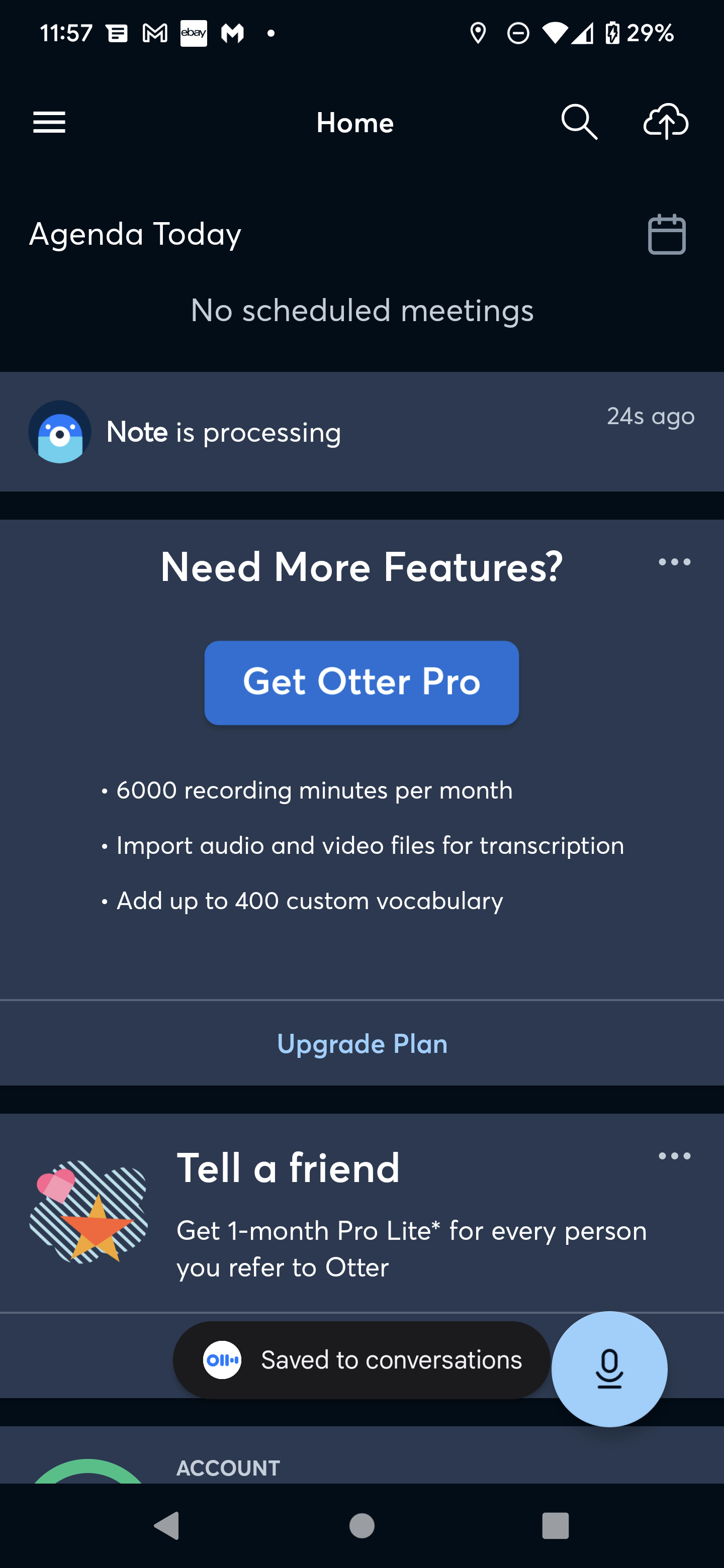
Review of Otter.AI

Software dictation has been around for absolutely ages,

All the way from early Dragon software, which used to take hours and hours to learn an individual, and even then wasn’t particularly good.

They have come on in leaps and bounds with modern phones chattering to the internet in order to do diagnostics and proper translation, but even then they’re not real time at true conversational speed over more than a short sentence.

When one claims to be absolutely amazing at transcribing, and able to do it for meetings and multiple voices, I have to say I was more than a little suspicious, and this is what Otter AI claims.

Now I didn’t want it for meetings. I wanted it for writing blog posts like this one, but I wanted to just rant while wearing a headset, and for it to keep up with me, rather than for me to stop/start or talk in a slightly stilted fashion. I find that even the Google or Amazon stuff only gets about 9 words in 10 right, and often get sentences scrambled, often because it interprets something I’ve said that is technologically or geekily specific, as a generic word.

So I was introduced to Otter AI, and after I got past the forced way they are selling it, it is actually a very clever mixture of relatively new and old style technology.

When you use it, they say that you’re supposed to dictate into it, and then it will do magic to make everything amazing.

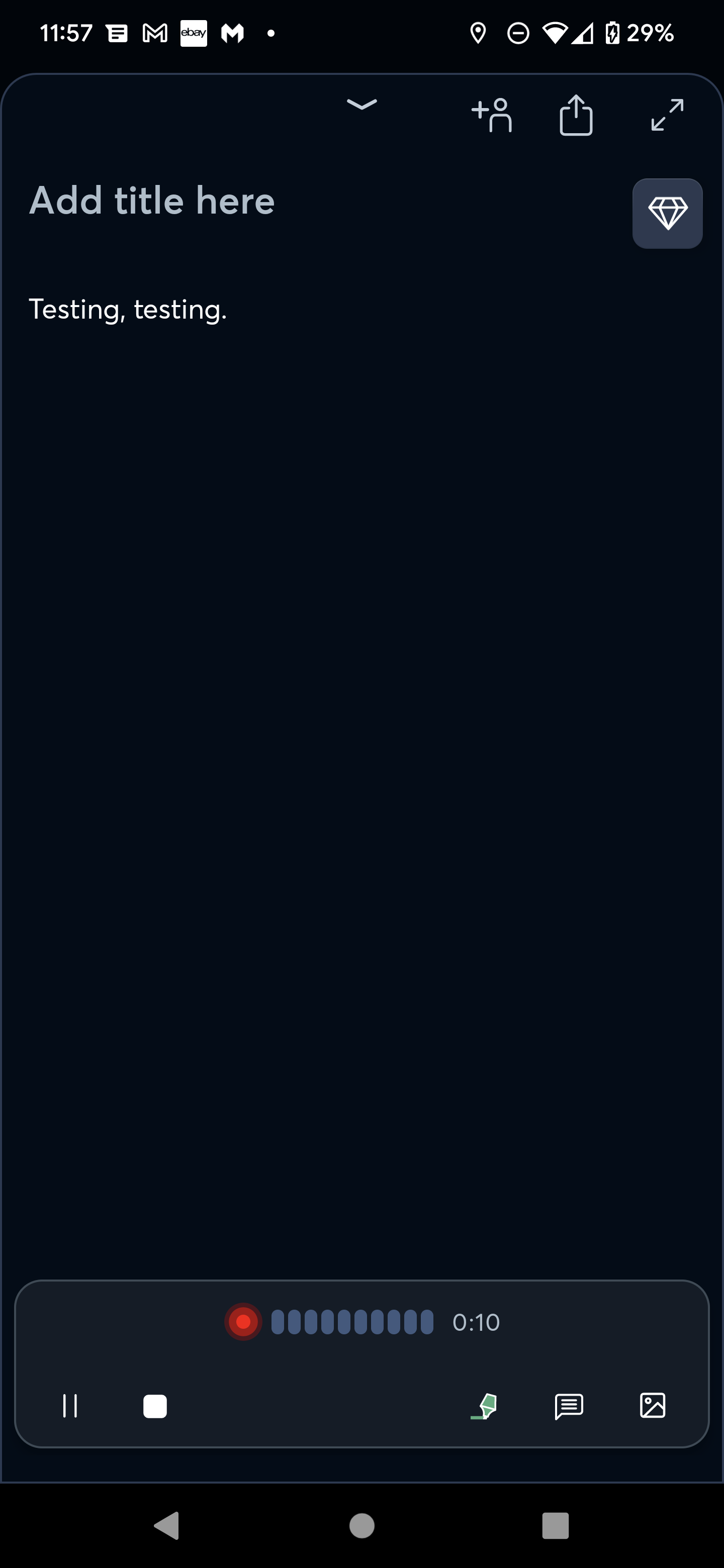
Don’t get overexcited. What it actually does is use standard speech to text for what you’re seeing in real time, where it gets the normal 9 out of 10 words right. And then once you’ve finished your meeting/rant, it will send your audio up to the internet and have another go at it with a lot more accuracy, as it can do it at its leisure.

This turns out to be a brilliant idea. Although they should really sell it better rather than just confusing the hell out of you.

Their target audience is obviously for long meetings or meeting note takers, not people who actually just want a decent accurate natural voice dictation app, the UI reflects that, the first few times I used it I desperately kept trying to stop and edit the text I was working on, but that is not how you do it.

The ordinary real time voice to speech conversion just acts as a general guide to what you have been saying, its not the final product, just say what you have got to say, save it, and let it clean everything up. Once you’ve got the hang of that as a process, then it’s a brilliant tool.

It’s amazing for dictating large formats or even quick blogs and notes. it has a good export feature which while not perfect, will happily export my monologues to WordPress and dump them into a standard post which I can then edit.

However again their market position is very off for my kind of usage. It seems to be only priced for people who are doing hours upon hours of meetings. Whereas people like myself that just want it for dictation are never going to come off the free tier, They’ve got no reason to. So they should really introduce say a £5 a month tier with some slight advantages (say a upgraded export to blog platforms). without that, people like me will never have a genuine reason to purchase it.

However all in all, if you’re wanting to write blog posts, or just take notes that you can then export as text. I couldn’t recommend it more.