A.B.D. News letter 2016 End of Trip

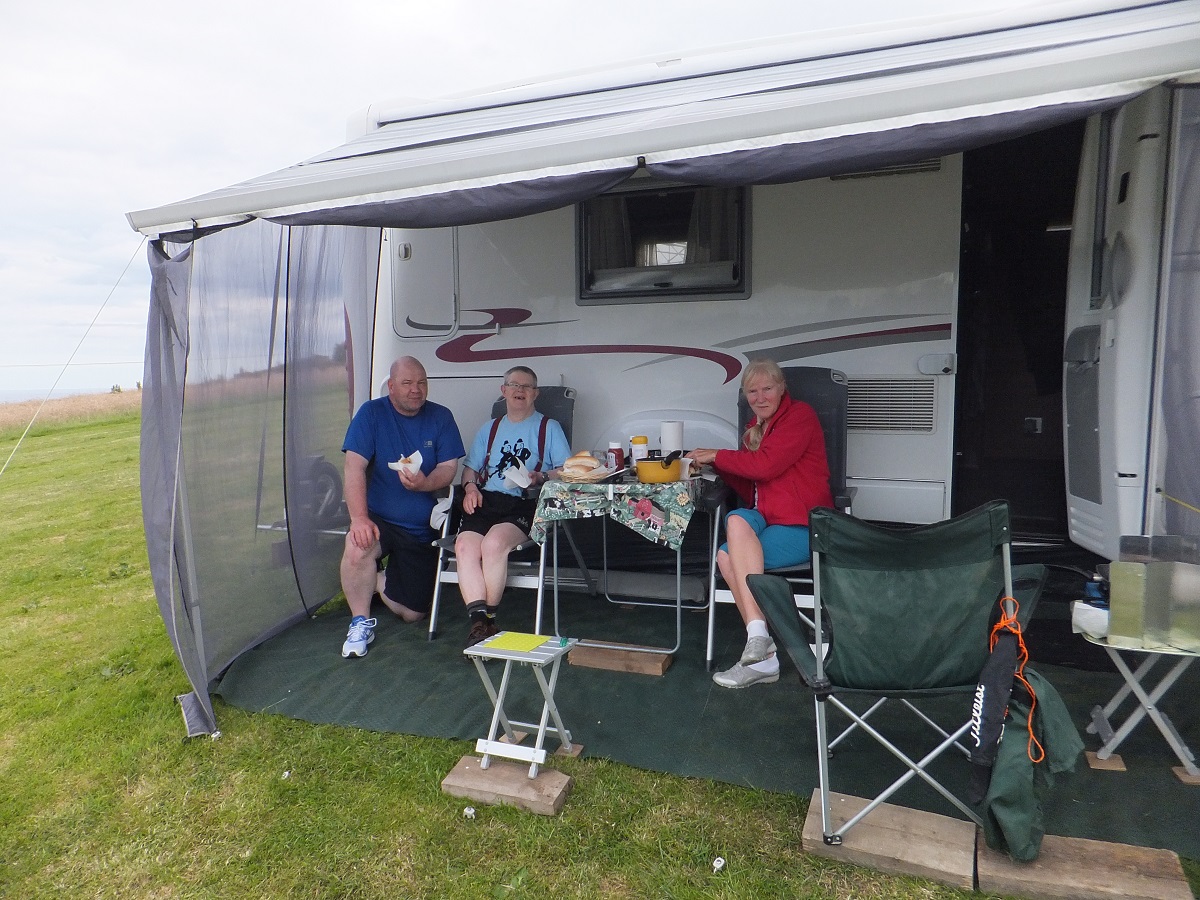
Hi Guys on our way home we went up to Whitby, and stayed on a certified location about 3 miles outside of town with a sea view (but very sloping) Keith and John came down on 3 days which we spent eating and fishing. We caught 1 fish it was a joint effort, it was on my line, but Wendy and I had gone off to fetch fish and chips and Keith pulled it in. It was a very good few days with the boys.


To Find The Perfect Office

I find with offices that I am more than a little picky, you think that all you want are a few simple basics but it turns out that none of the shared or small office providers want to provide what you want in the way you want it

I tried most of the leading communal office companies as a truly private office would be too expensive, and I would go stir-crazy, but every time there would be something fundamentally wrong with them. Faults ranged from one office advertising itself as a “dynamic shared environment” which turned out to be a lobby coffee shop >:( 1 through to places that were so keen to get you in that it felt like you had hired yet another project manager to be on your case. This happened four or five times, but I was determined to find a good work base 2, and my perfect office turned out to be a place called Purple Patch.

Within a day of trailing in to the building fresh from an outrage at a previous office provider, I determined to settle there like an ugly toad under a rock. If you want the low-down I recommend you go and look at their web site

Let’s walk through my must-haves:

24-hour access: This is a big thing for me, in fact THE big thing. Most shared offices close at 6pm, and you’re waiting at the door at 8am to be let in. However Purple Patch is really 24 hour access. They give you a bunch of keys and security fobs after checking your background, and then you can come in at any time, day or night. Perfect for those late night deadlines.

Impresses Clients: The place must look and feel good: a lot of shared offices have a slightly tired feel about them, a bit like airport lounges. At Purple Patch everything is bright and clean, and I thought at first it was because the place was new—but no, it’s been there for 15 years and simply has regular revamps. This means that you can bring clients on-site with a sense of pride, and its excellent location means that there are tons of great places to eat and drink within idle wandering distance.

Hard Lines: I know that everyone just lives on wifi, but not me. Wifi is fine and everything but I want a good speed, I want to go like the clappers, and so each desk has a network port in it that gives you 100Meg down, and the same up. This means that only individual clients’ VPN speeds slow me down.

Layout: I like open-plan, but not OPEN PLAN. Again, Purple Patch scores: the building itself is like a cheerful Gormenghast (or as Ben Poole said, “an eclectic second hand book shop”). Desks are grouped into bays and natural nooks, you don’t feel isolated, but similarly you are not forced to endure every word of a nearby loudmouth’s day.

Humanity: My office provider must be human. One of the Purple Patch clients has a small dog she sometimes brings in, and no-one howls (sorry) about rules. Parents bring in kids and I have never been disturbed by them (the layout helps with this and the fact there is a chill-out area with table-top football that gives kids something to do). No-one brings in jaguars and what can and can’t be done is decided on a case-by-case bases to keep everyone happy, rather than by following a soulless set of rules.

Now the little things:

Nice toilet roll holders: Don’t look at me like that. How many times have you been at a clients or any kind of office and had to deal with a toilet roll holder that looks straight out of Parkhurst prison? Something that does not allow more than 2 sheets to be pulled off before it jams and rips and you end up having a little tantrum, reaching in and ripping the offending roll out which is less than professional. It turns out that Purple Patch agrees and has proper toilet roll holders that hold multiple roles and that don’t damn well jam.

Proper coffee in proper places Purple Patch have different coffee in different places in the building (yes, yes tea as well!) If you want to wait at a machine while it goes “pluck pluck pluck” then fine there’s one of those. Personally I like the old style filter coffee pots and they are always kept topped-up to ensure optimal coding hyperactivity. I have watched Ben Poole consume his entire body weight in coffee within approximately ten minutes of arriving at the office.

… and that’s it. Really I am just relieved to have found an office I like and can do business in 🙂

(BTW: I’m not getting paid or anything for this review!)

This is where I skulk. Your desk is static and you get a locking cupboard (there are personal lockers as well)


Lots of little drop-in meeting nooks


Coffee, COFFEE!!! (kept topped-up by the lovely lovely staff)


You would not believe that the meeting rooms are actually cheaper than horrible scabby chain franchise ones


A nice shower at an office, there’s an idea


Even LDC Via can enjoy a meeting there (and maybe the pub afterwards)

  1. Meaning I couldn’t leave my laptop unattended therefore had to take it with me every time I went to the toilet[]
  2. I could not really use home as my work place as I need to meet with clients and clients of companies I am sub-contracting for. LDC Via work together a lot as well and frankly I start to lose productivity if I work from home more than around one day every two weeks.[]

A Little Thing Done Right

Last week the ‘swag’ from being an IBM champion arrived and to my utter surprise it was just perfect, yes I had picked it from a catalogue and knew at least one of the items was from a brand I knew but that did not detract from the fact it represents something to me a bit deeper than just a give away to keep some evangelists sweet.

Branded stuff like this is really supposed to be used where clients can see it (on site idealy) but recent IBM marketing stuff has been of very poor quality, just somewhere to slap the logo on and hope for the best, the best example of this is the backpacks that were given away at recent IBM Connect events, they were not even worth taking home where as the 2005 and 2003 editions were still in use and treated as a fine vintage, who ever looked at the bags and decided to skip them for this year’s event was a wise person. Anyway the swag that just arrived represents in my opinion just what IBM is aiming at with their champions

  • High quality outsourcing: IBM obviously did not do it them selves but the picking and delivery for me was a simple and flawless exercise.
  • Best of breed: The backpack is Wenger, the notebooks were Moleskin, the t-shirt was Nike. Good competent brands, not too flash, but not some no name knock off that falls to bits.
  • To be seen in public: I am already using my stuff on site and with the same pride I would a MongoDB t-shirt or a LDCVia power pack.

I expect I am reading too much into this and it’s simply the result of a single individual doing their job very well, but even if that’s the case it’s a good example of a rejuvenating IBM


SalesForce for Domino Dogs 3: Web Query Save Agents

“WebQuerySave” / “PostOpen” and all its siblings have been a bastion of Domino and Notes developments since time out of mind and indeed they exist in a near identical form in Salesforce but just called Triggers

Just like Notes/Domino has different events that let code ‘Do Stuff’ to records e.g. “WebQueryOpen”,”OnLoad”, “WebQuerySave” etc etc, Salesforce has the same sort of thing, in their case they are broken down into 2 parts: Timings and Events

Timings: Before and After

Before: The Event has been started but the record has not been saved, this maps basically to the “Query” events in Domino.

If you want to calculate fields and stuff and change values in the record you are saving, this is the time to do that, you don’t have to tell it to save or commit the records as you normally would, it will run a save after your code is run.

After: The record has been saved, all field values have been calculated, then the After event is run.

If you want to update other objects on the basis of this record being created/saved do it here, you can’t edit the record you are saving, but lots of useful bits such as the record id and who saved it are available in the After event 1

Events: Insert, Update, Delete and Undelete

These are exactly what they say there, Insert is like a new document creation, Update is editing an existing document, etc etc

This then gives us a total set of different event types of:

  • before insert
  • before update
  • before delete
  • after insert
  • after update
  • after delete
  • after undelete2

Now you can have a separate trigger for each of these events, but I have found that this bites you in the bum when they start to argue with each other and hard to keep straight when things get complex, so I just tend to have one trigger for all events and a bit of logic in it to determine what’s going to happen when

Here is my Basic template I start with on all my triggers

trigger XXXXTriggerAllEvents on XXXX (
    before insert,
    before update,
    before delete,
    after insert,
    after update,
    after delete,
    after undelete) {
            if(Trigger.isInsert || Trigger.isUpdate) {
                if (Trigger.isUpdate && Trigger.isAfter) {
                   MYScriptLibarary.DoStuffAfterAnUpdate(Trigger.New, Trigger.OldMap);
                } else if (Trigger.isInsert) {
                    //Do some stuff here to do with when a new document being create, like sending emals
                }
            }
}

As you can see you can determine what event you are dealing with by testing for “.isInsert” or “.isAfter” and then run the right bit of code for what you want, again I like to keep everything in easy sight, so use functions when ever I can with nice easy to understand names.
In the above case, I want to check a field after there has been an update to see if it has been changed from empty to containing a value. you can do this with the very very useful ‘Trigger.New’ and ‘Trigger.OldMap’) as you can see below

public with sharing class MYScriptLibarary {
    public static void DoStuffAfterAnUpdate(List<XXXX> newXXXX, Map<ID, XXXX> oldXXXX) {
                for (XXXX curentXXXX : newXXXX) {
                    if(!String.isBlank(curentXXXX.MyField) && String.isBlank(oldXXXX.get(curentXXXX.Id).MyField) ) {
                        system.debug('OMG!!! MYField changed DO SOMTHING');
                    }
                }
          }
}

So we are taking the list of objects3 that have caused the trigger to run ie “Trigger.New”, looping through them and comparing them to the values in the Trigger.OldMap (which contain the old values) to see if things have changed.


So that is the theory over, you can see existing triggers by entering Setup and searching for “apex triggers”
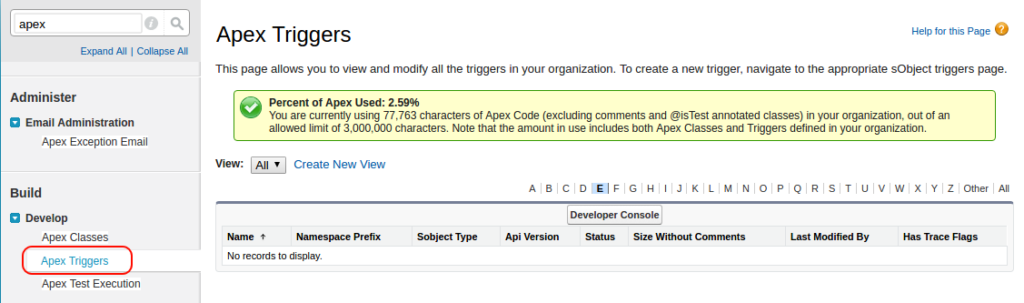
BUT you cant make them from there, you make them from the Object you want them to act on.
Lets take the Case object for an example

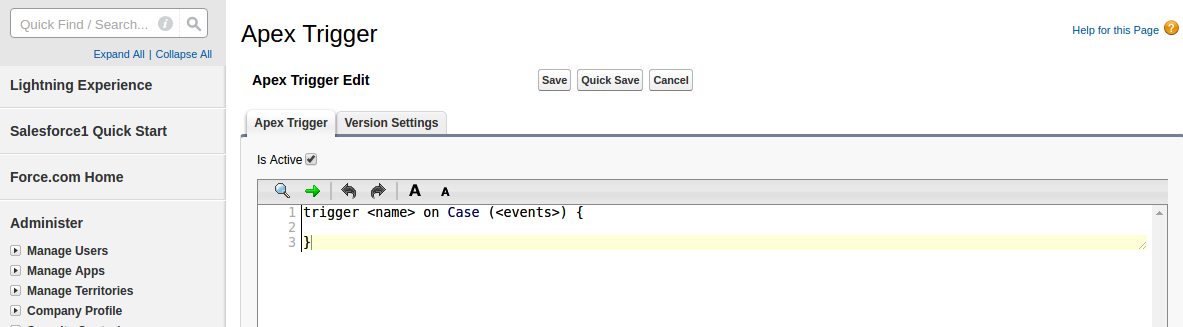
In setup you search for case, and click on “Case Triggers” and then on “New”

That will give you the default trigger…. lets swap that out for the all events trigger I showed above

Better, then just click save and your trigger will be live. simples..
Now there is an alternative way to make triggers, and you do sometime have to use it when you want to create a trigger for an object that does not live in the setup, such as the attachment object.

You will first need to open the Developer Console up (Select your Name in the top right and select “Developer Console”), then select File –> New –> Apex Trigger
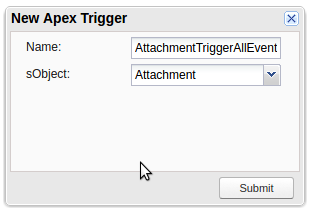
Select “attachment” as the sObject and give it a sensible name.

And now you can do a trigger against an object that normally you don’t see.

Final Notes:

1. Salesforce Process flows can fight with your triggers, if you get “A flow trigger failed to Execute” all of a sudden, go look to see if your power users have been playing with the process flows.
2. Make sure you have security set correctly, particularly with community users, both security profiles and sharing settings can screw with your triggers if you cant write or see fields.
3. As always make sure you code works if there are millions of records in Salesforce. CODE TO CATER TO LIMITS.


  1. You know that pain in the butt thing you sometimes have to do with Domino when you have to use the NoteID rather than that Document ID before a document is saved this gets round that issue.[]
  2. Yes eagle eyes, there is no “before undelete”.[]
  3. You are best to handle to handle all code in terms of batches rather than the single document you are used to in Domino, we will handle batching in a later blog, but just take my word for it at the moment[]